![horizontal-black-3.png]](https://knowledge.cheqroom.com/hs-fs/hubfs/horizontal-black-3.png?width=200&height=37&name=horizontal-black-3.png)
A webhook is an automatic message Cheqroom sends to another app the moment something happens in your workspace. Instead of another system repeatedly asking Cheqroom “anything new?”, Cheqroom pushes the update the instant an event occurs, such as an item being checked out, a reservation being made, or a work order being closed.
Webhooks let your other tools react in real time without anyone re-entering data. For example, you can:
- Post a Slack or Teams message when a check-out goes overdue.
- Update your ERP, CRM or ticketing system when an item’s location or status changes.
- Start a custom workflow, such as a billing action in a finance tool when an item is checked in.
- Keep an external reporting system in sync with Cheqroom.
To enable:
- Click Settings in the bottom left corner of your screen
- Click Integrations
- Go to Webhooks
- Click Configure
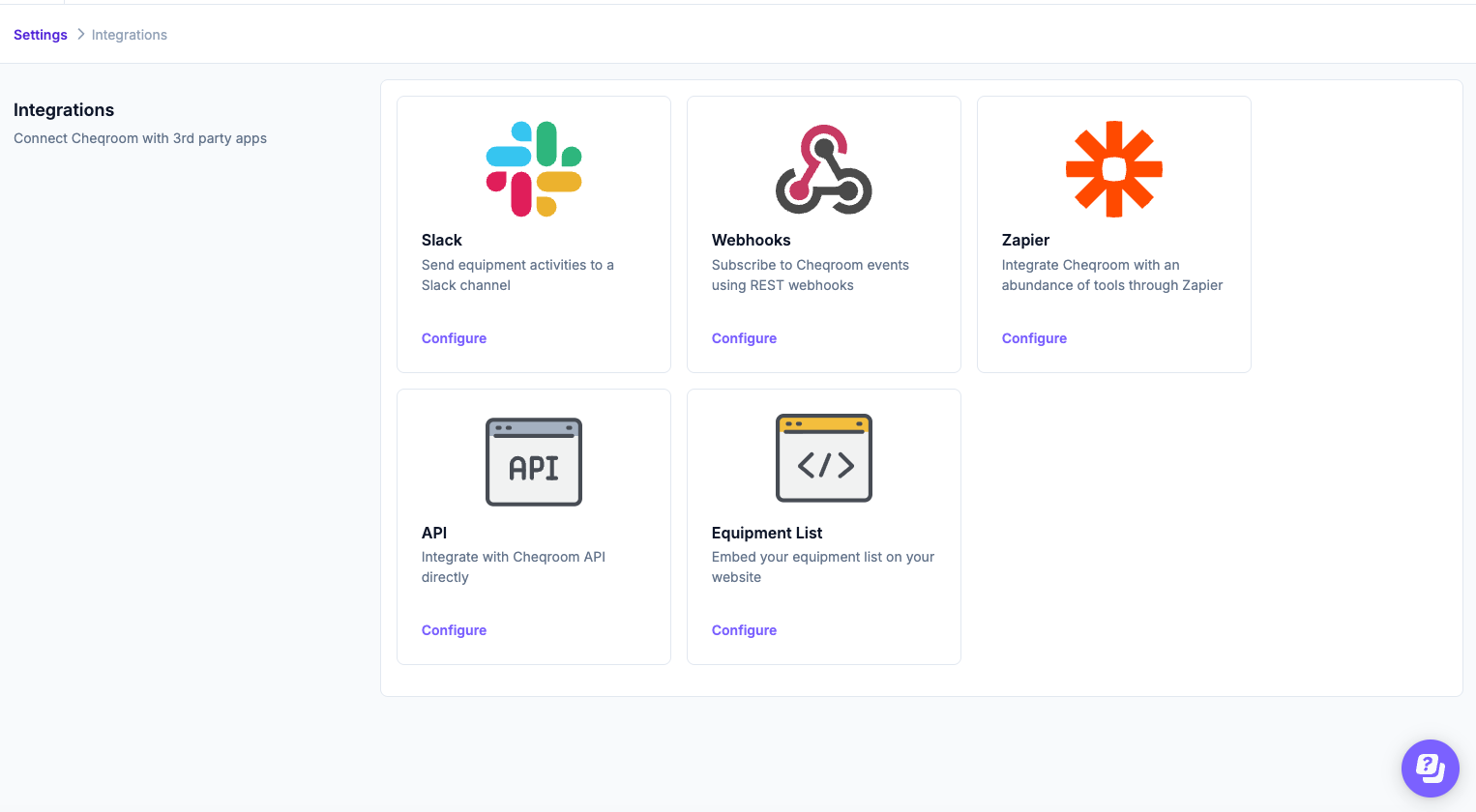
Setting up a webhook
- Click New webhook
- Give the webhook a name, pick the webhook Trigger and enter the URL
- Click Add webhook
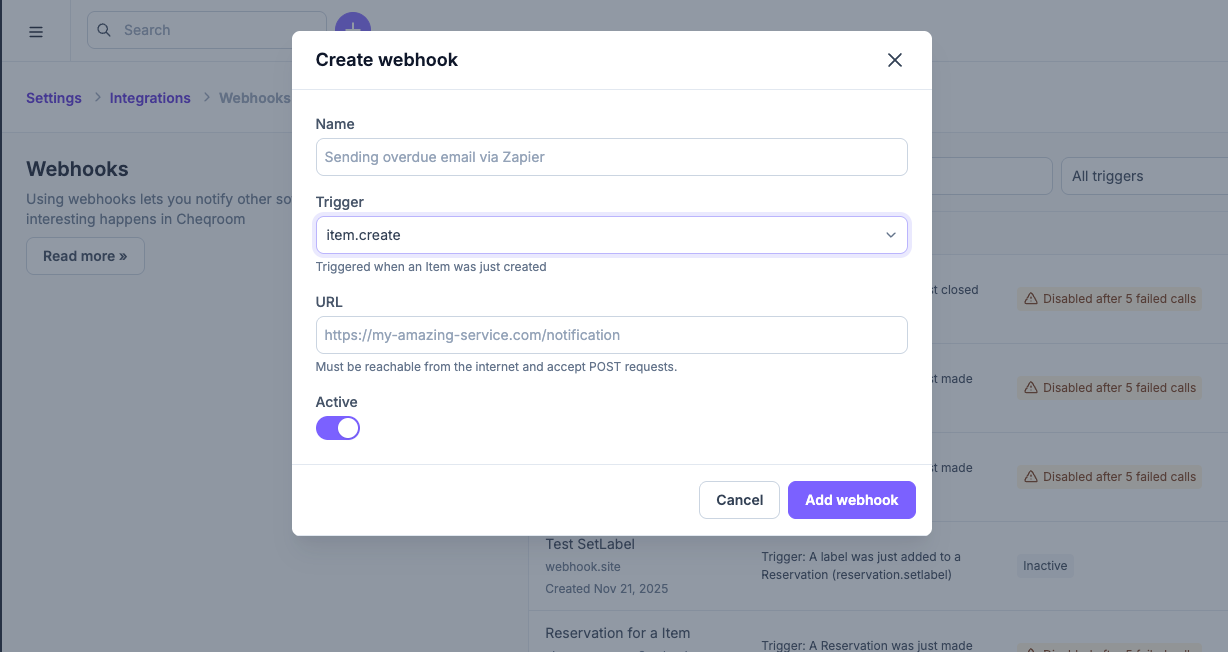
Each webhook listens to one topic. To be notified about several events, create one webhook per topic.
Webhooks are delivered as an HTTP POST with a JSON body (Content-Type: application/json). Your endpoint should respond within 30 seconds. If a webhook fails repeatedly, Cheqroom automatically disables it, so check the webhook's last status in your workspace if events stop arriving.
What webhooks are available?
Topics are named <object>.<action>. In webhook payloads, Check-outs appear as order, Users as contact, and Work Orders as ticket.
Items
|
Topic |
Triggered when |
|---|---|
|
|
An Item is created |
|
|
A system field on an Item is updated |
|
|
An Item is deleted |
|
|
An Item is created by duplicating another Item |
|
|
A custom field on an Item is updated |
|
|
A custom field on an Item is cleared |
|
|
An Item flag is set |
|
|
An Item flag is cleared |
|
|
An Item is retired |
|
|
An Item is unretired |
|
|
An Item's location is updated |
|
|
An Item's type is changed |
|
|
The quantity of a bulk Item is changed |
|
|
A comment is added to an Item |
|
|
A contact takes custody of an Item |
|
|
Item custody is transferred to another contact |
|
|
A contact releases custody of an Item |
|
|
An Item's geo-location is updated |
|
|
An Item comment is edited |
|
|
An Item comment is removed |
Kits
|
Topic |
Triggered when |
|---|---|
|
|
A comment is added to a Kit |
|
|
A Kit comment is edited |
|
|
A Kit comment is removed |
Users (Contacts)
|
Topic |
Triggered when |
|---|---|
|
|
A User or Contact is created |
|
|
A User or Contact is updated |
|
|
A User or Contact is deleted |
|
|
A comment is added to a User or Contact |
|
|
A User or Contact is blocked |
|
|
A User or Contact is unblocked |
|
|
A custom field on a User or Contact is updated |
|
|
A custom field on a User or Contact is cleared |
|
|
A User or Contact comment is edited |
|
|
A User or Contact comment is removed |
|
|
A PDF is generated for a User or Contact |
Reservations
|
Topic |
Triggered when |
|---|---|
|
|
A Reservation is made |
|
|
A Reservation is cancelled |
|
|
A Reservation is closed |
|
|
A Reservation is due for pickup (see Due and overdue timing below) |
|
|
A Reservation is overdue for pickup (see Due and overdue timing below) |
|
|
A comment is added to a Reservation |
|
|
A Reservation PDF is generated |
|
|
Making a Reservation is undone |
|
|
Closing a Reservation is undone |
|
|
A label is set on a Reservation |
|
|
A label is cleared from a Reservation |
|
|
A Reservation comment is edited |
Check-outs (order)
|
Topic |
Triggered when |
|---|---|
|
|
A Check-out is checked out |
|
|
A Check-out is checked in |
|
|
A Check-out is undone |
|
|
A Check-out is extended |
|
|
A Check-out is due (see Due and overdue timing below) |
|
|
A Check-out is overdue (see Due and overdue timing below) |
|
|
A comment is added to a Check-out |
|
|
A Check-out PDF is generated |
|
|
A label is set on a Check-out |
|
|
A label is cleared from a Check-out |
|
|
A Check-out comment is edited |
Spotchecks
|
Topic |
Triggered when |
|---|---|
|
|
A Spotcheck is completed, with any outcome |
|
|
A Spotcheck is completed without issues |
|
|
A Spotcheck is completed with issues, for example missing Items |
|
|
A Spotcheck is cancelled |
|
|
Cancelling a Spotcheck is undone |
|
|
A comment is added to a Spotcheck |
|
|
A Spotcheck comment is edited |
|
|
A Spotcheck comment is removed |
Work Orders
Work Orders use the ticket prefix in webhook topics.
|
Topic |
Triggered when |
|---|---|
|
|
A Work Order is created |
|
|
A Work Order is updated |
|
|
A Work Order is deleted |
|
|
A Work Order is duplicated |
|
|
A Work Order is opened |
|
|
A Work Order is started |
|
|
A Work Order is closed |
|
|
A Work Order is cancelled |
|
|
A Work Order is archived |
|
|
A Work Order's assignee is set |
|
|
A Work Order's reporter is set |
|
|
A custom field on a Work Order is updated |
|
|
A custom field on a Work Order is cleared |
|
|
A comment is added to a Work Order |
|
|
A Work Order PDF is generated |
|
|
Opening a Work Order is undone |
|
|
Starting a Work Order is undone |
|
|
Closing a Work Order is undone |
|
|
Cancelling a Work Order is undone |
|
|
Archiving a Work Order is undone |
|
|
A Work Order's name is set |
|
|
A Work Order's name is cleared |
|
|
A Work Order's description is set |
|
|
A Work Order's description is cleared |
|
|
A Work Order's priority is set |
|
|
A Work Order's priority is cleared |
|
|
A date field on a Work Order is set |
|
|
A date field on a Work Order is cleared |
|
|
A Work Order's type is changed |
|
|
A Work Order's assignee is cleared |
|
|
A Work Order's reporter is cleared |
|
|
A Work Order's location is set |
|
|
A Work Order's location is cleared |
|
|
A label is set on a Work Order |
|
|
A label is cleared from a Work Order |
|
|
Items are added to a Work Order |
|
|
Items are removed from a Work Order |
|
|
A Reservation is linked to a Work Order |
|
|
A Reservation is unlinked from a Work Order |
|
|
A Check-out is linked to a Work Order |
|
|
A Check-out is unlinked from a Work Order |
|
|
A child Work Order is linked |
|
|
A child Work Order is unlinked |
|
|
A Work Order comment is edited |
|
|
A Work Order comment is removed |
Due and overdue timing
The order.due, order.overdue, reservation.due and reservation.overdue topics let you choose how many minutes before or after the due time the webhook fires:
- Due topics fire the number of minutes you set before the due date and time.
- Overdue topics fire the number of minutes you set after the due date and time.
- A value of 0 fires exactly at the due date and time.
For example, to be notified one hour before a Check-out is due, use order.due with 60 minutes. Only open Check-outs and Reservations trigger these webhooks.
The older fixed-time topics (order.due_in_1_hour, order.due_in_1_day, order.overdue_1_hour, order.overdue_1_day and the matching reservation.* topics) still work for existing webhooks, but use .due and .overdue with a minutes value for new ones: 60 minutes replaces the 1-hour topics and 1440 minutes replaces the 1-day topics.
What's in the payload?
Every webhook POST wraps the affected object in the same envelope:
{ "data": { }, "time": 1234567890, "id": "event-id", "name": "your-webhook-name", "topic": "order.checkout", "kind": "order" }|
Field |
Description |
|---|---|
|
|
The full object the event relates to (Item, Contact, Check-out, Reservation, Work Order and so on) |
|
|
When the event was triggered, as a Unix timestamp |
|
|
The event identifier |
|
|
The name you gave the webhook |
|
|
The full topic, for example |
|
|
The type of object: |
For .delete topics, data contains only the _id of the deleted record.
Signing webhooks
If you set a signing secret on a webhook, every POST for that webhook includes an X-CHEQROOM-Signature header. Its value is an HMAC SHA256 hex digest of the webhook payload, using the signing secret as the key.
Compute the signature of the payload in your code using the same shared secret and compare it to the header to verify that the webhook was triggered by Cheqroom.
Important
As of now, Cheqroom doesn't support incoming webhooks.