![horizontal-black-3.png]](https://knowledge.cheqroom.com/hs-fs/hubfs/horizontal-black-3.png?width=200&height=37&name=horizontal-black-3.png)
Cheqroom allows you to attach files of any kind, such as images, invoices, or user manuals.
Adding file attachments in Cheqroom
-
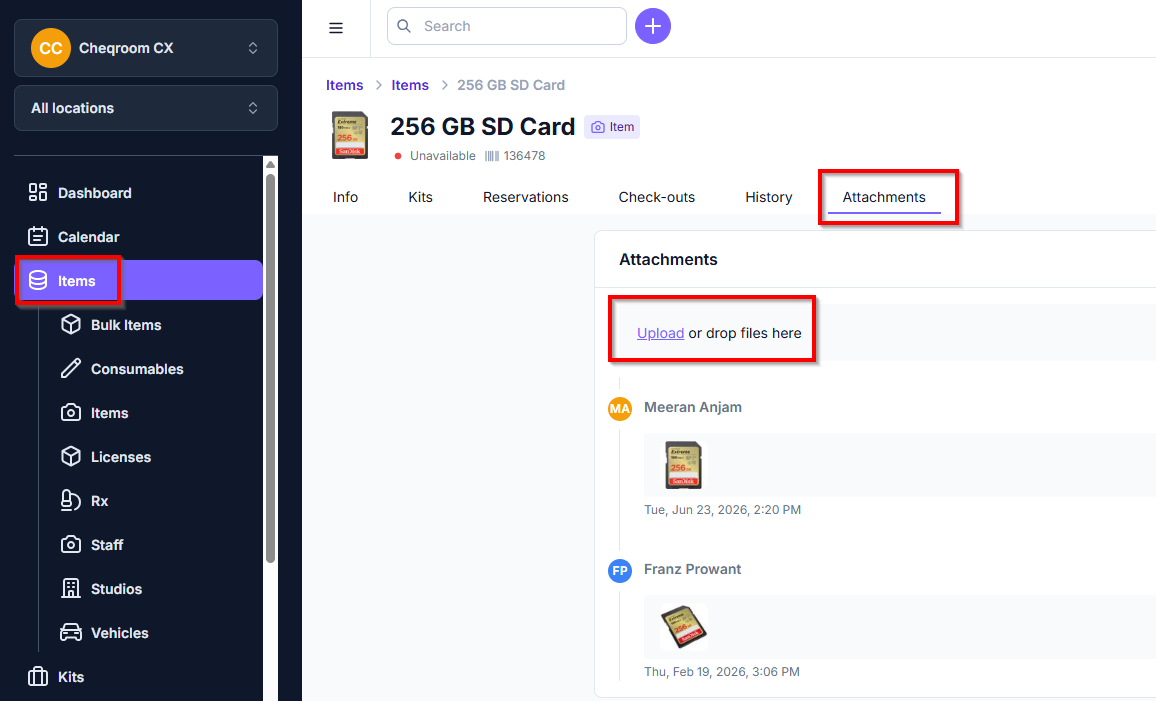
Click on an Item, Contact or Reservation/Check-out
-
Click the Attachments tab
-
Click Upload a file or drag-and-drop a file to attach
Our supported file extensions are:
ai, arw, avi, avif, bmp, cr2, csv, djvu, doc, docx, eps, eps3, ept, fbx, flif, gdoc, gdraw, gform, gif, glb, gltf, gsheet, gslides, gtable, hdp, heic, heif, ico, indd, jfif, jp2, jpe, jpeg, jpg, jxr, key, mov, mp4, numbers, odp, ods, odt, pages, pdf, png, ppt, pptx, ps, psd, svg, tga, tif, tiff, txt, usdz, wdp, webp, xls, xls
File size is limited to 100Mb for attachments.
To keep visibility, you can attach files to your Users. Images, invoices, or contracts, you can choose what should be linked to your users.
-
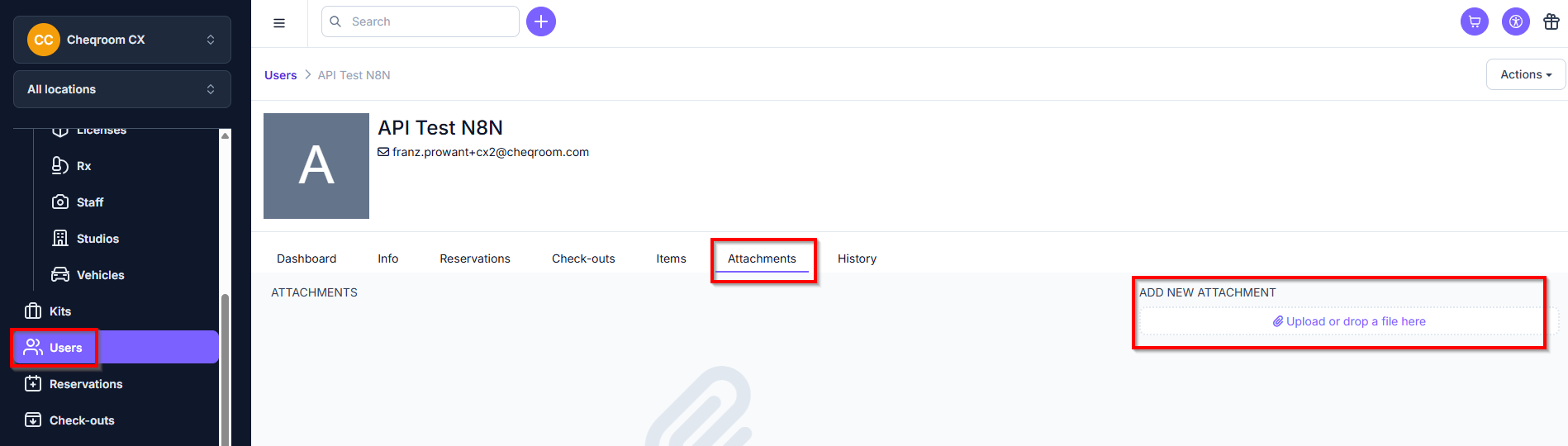
Go to Users
-
Find the user you want to edit and open their page
-
Select Attachments
-
Click or drop the file on the right-hand side
💡 The file size is limited to 100Mb for attachments, and we support the following extensions:
ai, arw, avi, avif, bmp, cr2, csv, djvu, doc, docx, eps, eps3, ept, fbx, flif, gdoc, gdraw, gform, gif, glb, gltf, gsheet, gslides, gtable, hdp, heic, heif, ico, indd, jfif, jp2, jpe, jpeg, jpg, jxr, key, mov, mp4, numbers, odp, ods, odt, pages, pdf, png, ppt, pptx, ps, psd, svg, tga, tif, tiff, txt, usdz, wdp, webp, xls, xls