![horizontal-black-3.png]](https://knowledge.cheqroom.com/hs-fs/hubfs/horizontal-black-3.png?width=200&height=37&name=horizontal-black-3.png)
You can manage User Groups either through your Identity Provider (IdP) or directly within Cheqroom. When managed by the IdP, group assignments are updated on every SSO login. When managed by Cheqroom, admins control group assignments manually after a user's first SSO login.
Similar to how Roles are managed for SSO, you can choose how User Groups are managed in the settings menu. User Groups are essential when setting up Equipment Access in your workspace.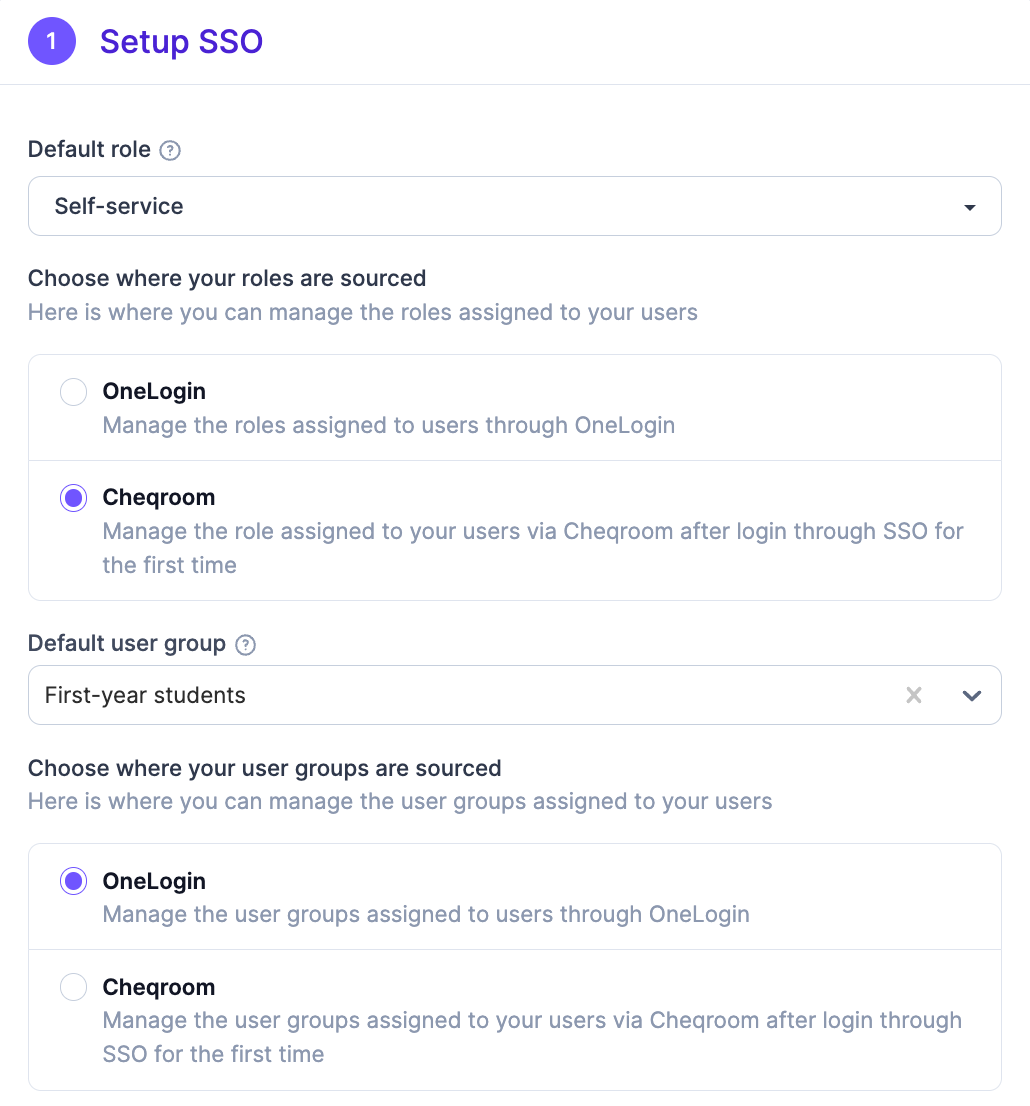
The User Group option allows you to choose whether you want to manage groups from the Identity Provider (such as OneLogin, Azure AD, ADFS, Okta, Google, SAML IdP) or keep the user group assignments within Cheqroom.
In some cases, it may be more convenient to assign user groups within Cheqroom itself, so that you don't have to contact your company's IT administrator to change the user group of specific users.
Option 1: Identity Provider
When User Groups are managed through the Identity Provider, the user's group is updated on every SSO login for both new and existing users.
- If the Identity Provider returns a valid user group, that group is assigned to the user.
- If the Identity Provider returns no user group or an invalid user group, the user is assigned the default group.
- Any user group previously assigned in Cheqroom will be overwritten.
|
New and existing users |
|
The user group of a user will be updated on every login through SSO.
|
Option 2: Manage User Groups in Cheqroom
When User Groups are managed through Cheqroom, admins control group assignments directly in the platform, without involvement from the Identity Provider.
- New users: Must log in through SSO at least once before you as an admin can manage their User Group. They are assigned the selected default User Group on their first SSO login.
- Existing users: You can immediately manage their User Groups in Cheqroom.
When User Groups are managed through Cheqroom, the following logic is used:
|
New users |
Existing users |
|
First, new users must log in through SSO in order for you (the admins) to manage their User Groups.
Newly created users will be assigned the selected User Group when they log in for the first time through SSO. |
You can immediately manage their User Groups in Cheqroom |