![horizontal-black-3.png]](https://knowledge.cheqroom.com/hs-fs/hubfs/horizontal-black-3.png?width=200&height=37&name=horizontal-black-3.png)
You can manage SSO user roles either through your Identity Provider (IdP) — such as OneLogin, Azure AD, ADFS, Okta, Google, or any SAML IdP — or directly within Cheqroom. Use IdP-based management when you want roles controlled centrally by IT, or choose Cheqroom-based management when you need to update individual user roles without involving your IT Administrator.
In some cases it’s useful to keep the role management in Cheqroom itself so there’s no need to contact your company's IT Administrator to change the role of specific user(s).
Option 1: How do I manage user roles through the Identity Provider (IdP)?
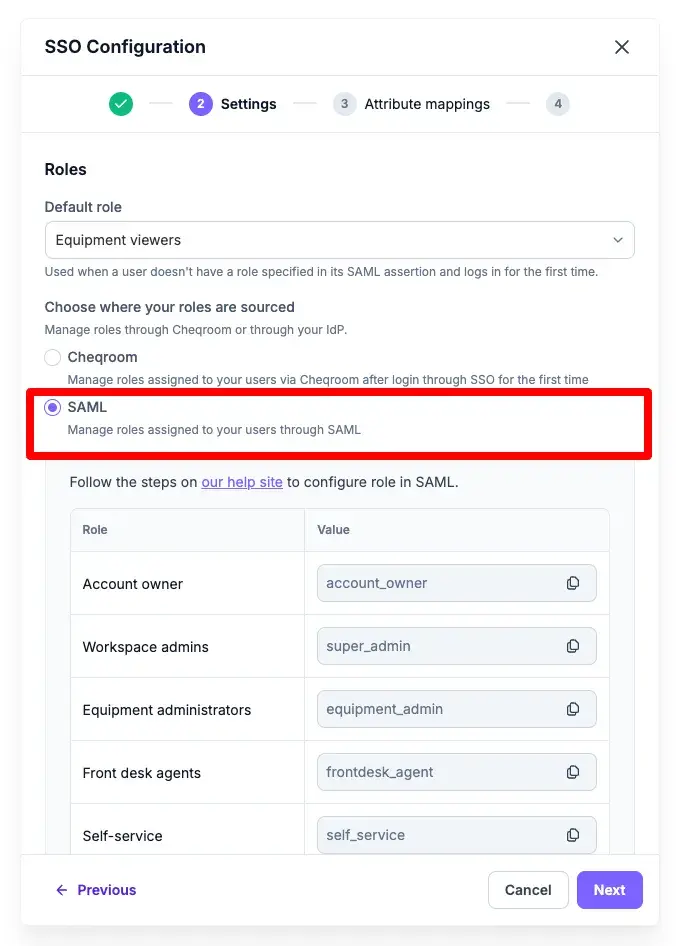
When managing roles through the Identity Provider (IdP), the following logic applies to new and existing users:
-
If the IdP doesn’t return a role, the user will be assigned the default role.
Any existing role previously assigned in Cheqroom will be overwritten.
-
If the IdP does return a role, that role will be assigned to the user.
Any existing role previously assigned in Cheqroom will be overwritten.
When managing roles through the IdP, you’ll get an overview of all possible roles that can be assigned via SSO:
-
Copy the role values you wish to use in your IdP.
-
Refer to the links below for detailed instructions on configuring roles for specific IdP’s:
Option 2: How do I manage user roles directly in Cheqroom?
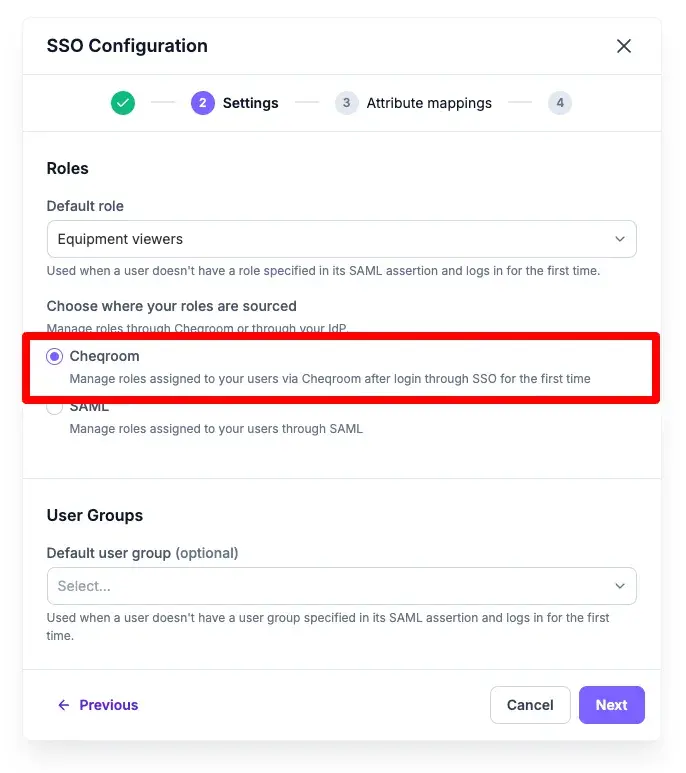
When roles are managed through Cheqroom, the following logic applies:
-
New users
Newly created users will be assigned the default role when they log in for the first time through SSO.
-
Existing users
You can update their roles at any time by navigating to Settings > Users and editing the user's assigned role.