![horizontal-black-3.png]](https://knowledge.cheqroom.com/hs-fs/hubfs/horizontal-black-3.png?width=200&height=37&name=horizontal-black-3.png)
Handling equipment maintenance and repair for your inventory is done via Reservations and Check-outs linked to a dedicated Maintenance User. This User is automatically added to your account and can be edited if necessary.
You can add this User to your maintenance bookings, so it's clear to everyone the item(s) will be in repair during a specific time.
-
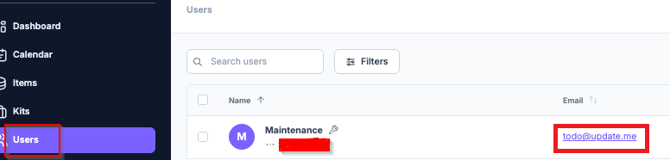
Navigate to your Users tab and find the Maintenance user.
-
Next, click the email address to update it, to whoever is in charge of equipment maintenance in your team. Now your admin will receive notifications around those bookings (this is an optional setting).
Users who can schedule maintenance
Since scheduling maintenance is usually reserved for a few team members only, you can control which users will be able to plan maintenance and repair.
-
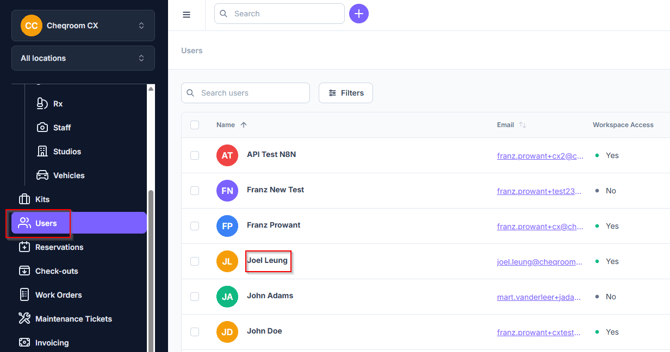
Navigate to the Users tab and click on the team member who is in charge of maintenance.
-
Click on the Info tab, and then toggle on Maintenance/Repair button.
-
You should then see a green pop up message letting you know the action was successful.
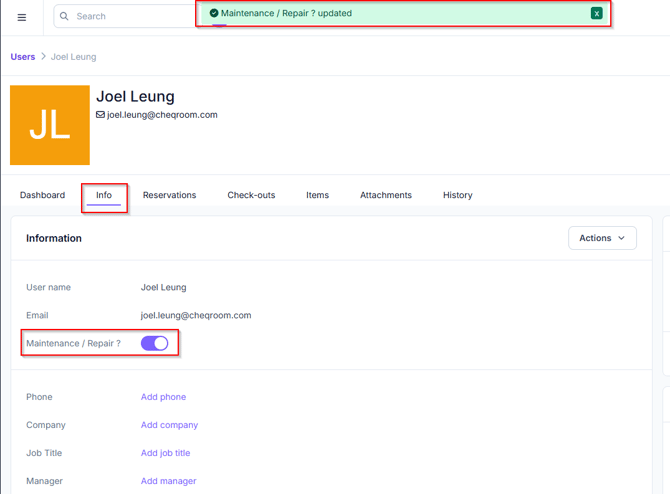
Important: Only the team members who have this turned on will be able to schedule maintenance.
Planning preventive maintenance
-
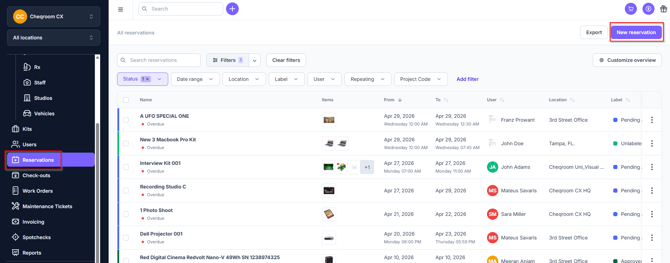
Navigate and click on Reservations; then click Add reservation.
-
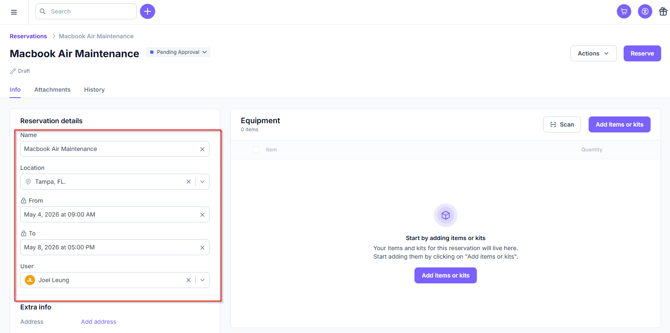
Select the Maintenance User, add a Name, select Location, and From/To dates.
-
Store any images of damages as Attachments on the Reservation
-
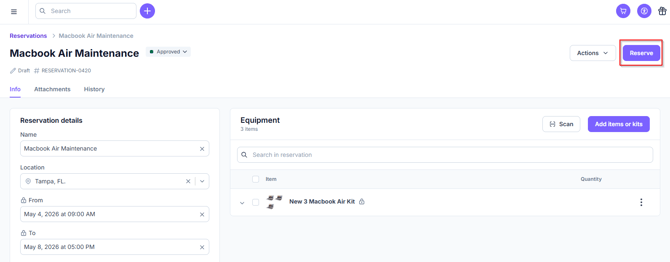
Click Reserve in the upper right hand corner
-
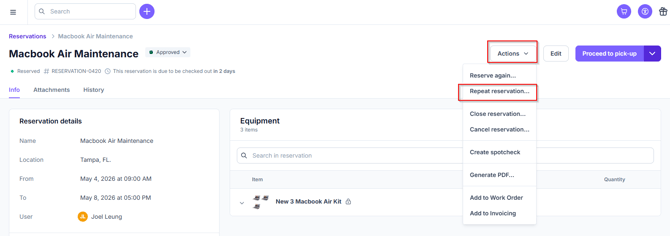
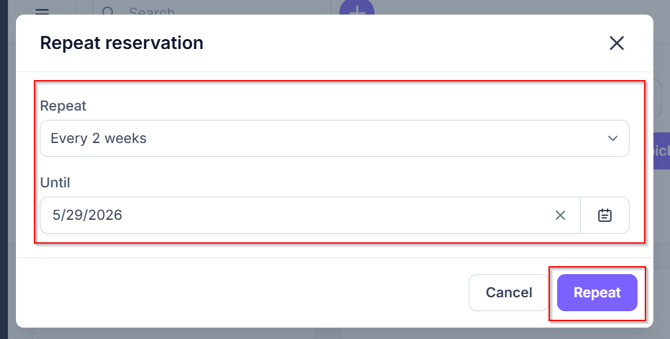
(optionally) Click Actions and then Repeat Reservation... to plan recurring maintenance (e.g. every month).
Performing Item maintenance
-
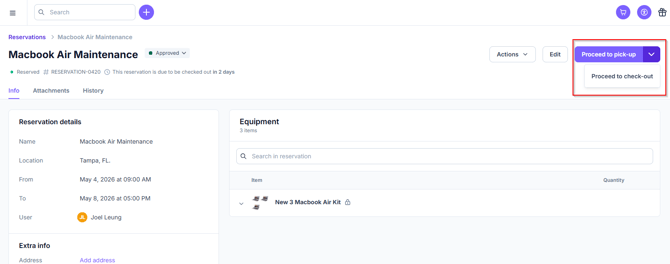
Depending on your subscription plan you can either click Proceed to pick-up or click the drop down carrot and click Proceed to check-out from this Reservation screen.
-
Or go to Check-outs, next click New check-out
-
Select the Maintenance User
-
Set the from and due dates, the Location, and the Items to be serviced
-
Click Check-out
-
Perform the maintenance,
-
Store any images of repairs, notes, invoices, or receipts as Attachments on the Check-out.
-
When done, click to Check in to check the equipment back in.
Finding your Maintenance Bookings
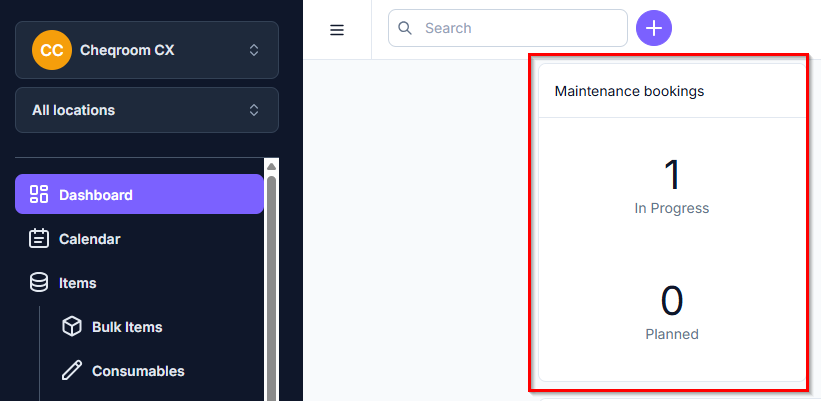
On the Dashboard
In your Reservation or Check-outs
-
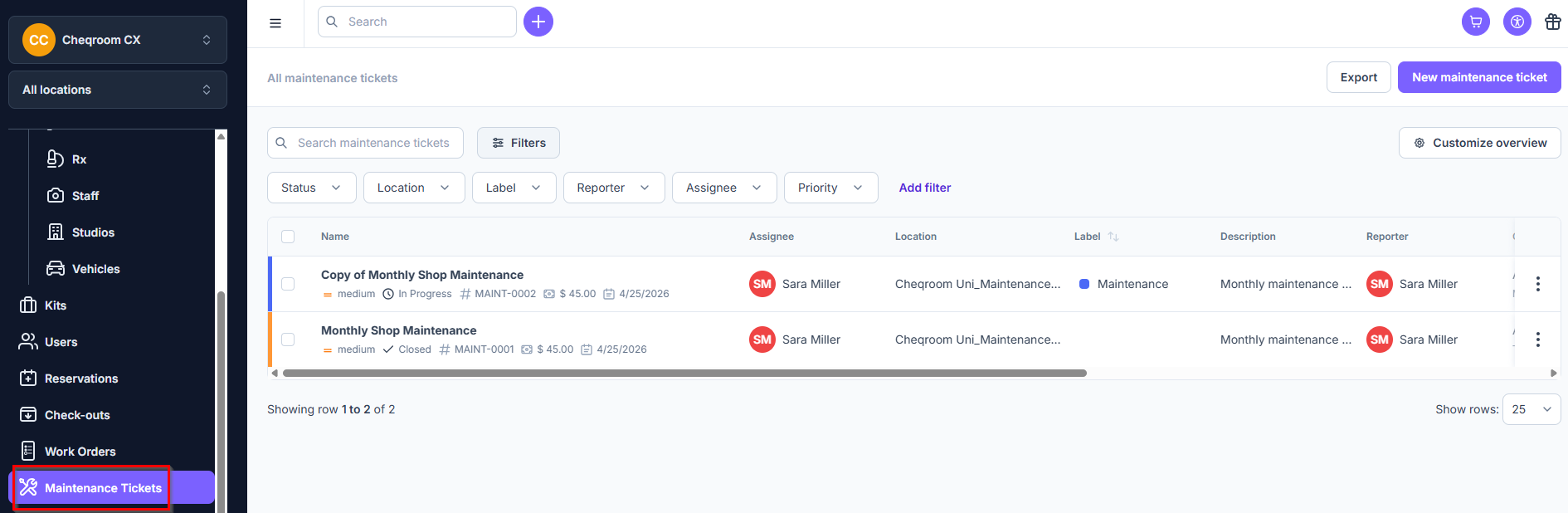
Go to your Maintenance Tickets
-
Add extra filters if necessary
In your Users
-
Go to your Users
-
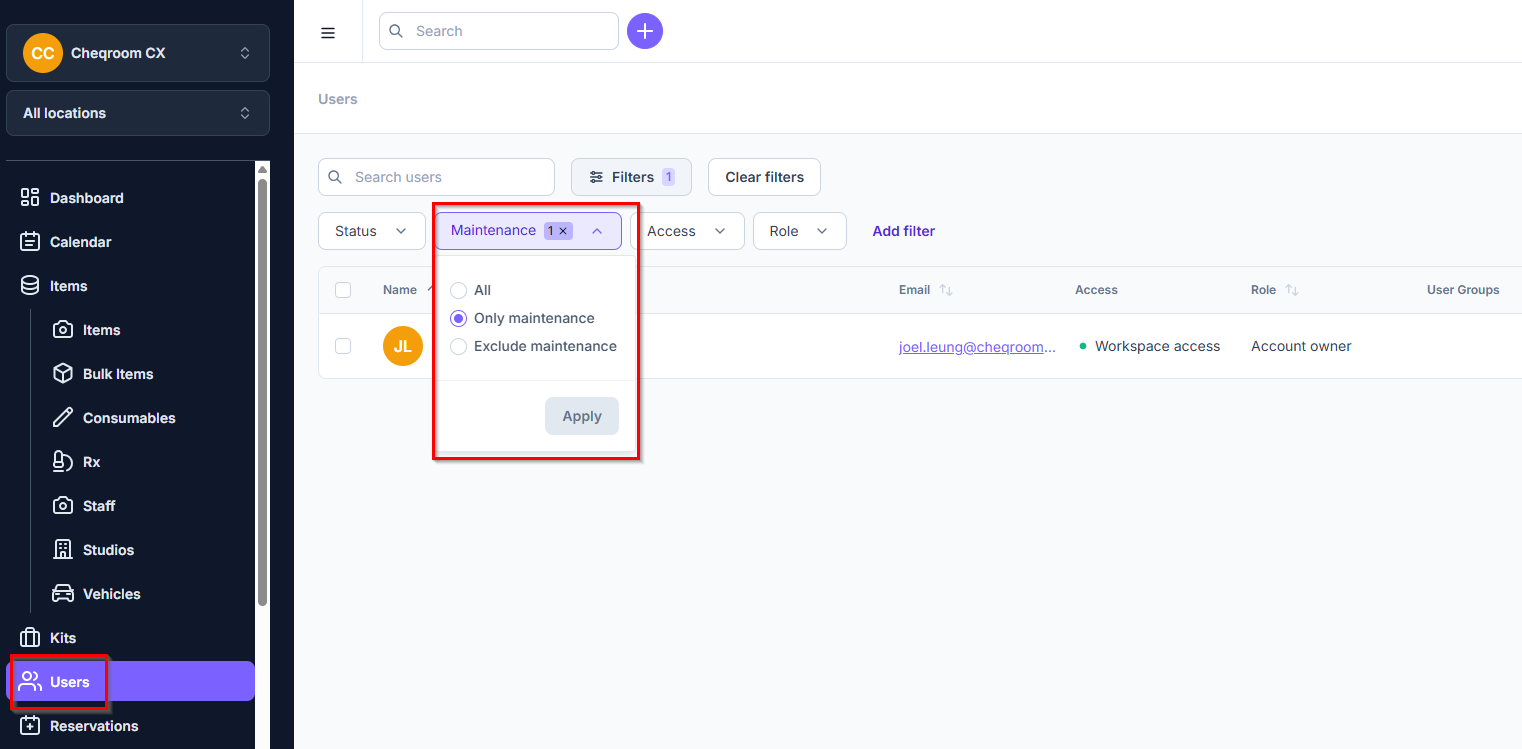
Filter on Maintenance