![horizontal-black-3.png]](https://knowledge.cheqroom.com/hs-fs/hubfs/horizontal-black-3.png?width=200&height=37&name=horizontal-black-3.png)
Like other areas in Cheqroom, you can manage and add custom fields that are relevant to your team, work, or specific project.
When it comes to custom fields for your Operations Requests, these need to be added under the Work Order tab in your field settings.
To set up Your Work Order Fields:
From your admin account -
1. Go to Settings > Fields. 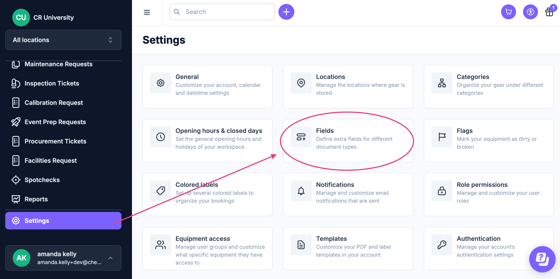
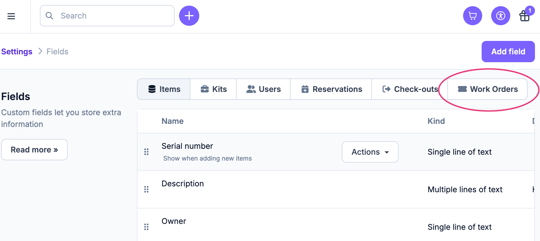
2. Select the Work Orders tab.
3. Click Add field and select the relevant options to create a data point that will be critical to your template.

Warning: If you add a system field that already exists, you are unable to create a net-new one for your specific Operations Request. However, you can still apply the existing one to any template.
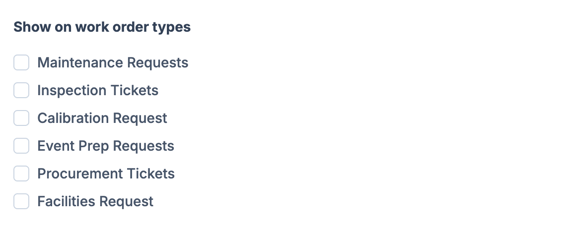
4. Assign which work order types you'd like this to apply to
Note: You can also select additional filter and requirement preferences.