![horizontal-black-3.png]](https://knowledge.cheqroom.com/hs-fs/hubfs/horizontal-black-3.png?width=200&height=37&name=horizontal-black-3.png)
-
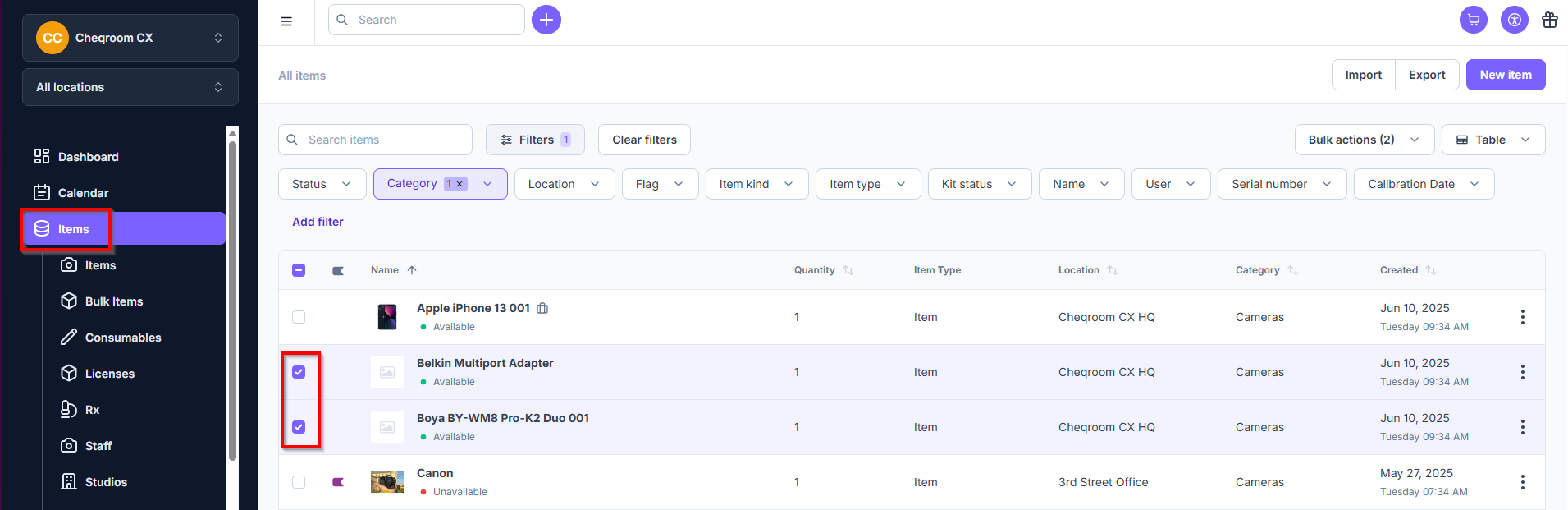
Navigate to Items in the left hand, and then select the items you want to clear the codes for.
-
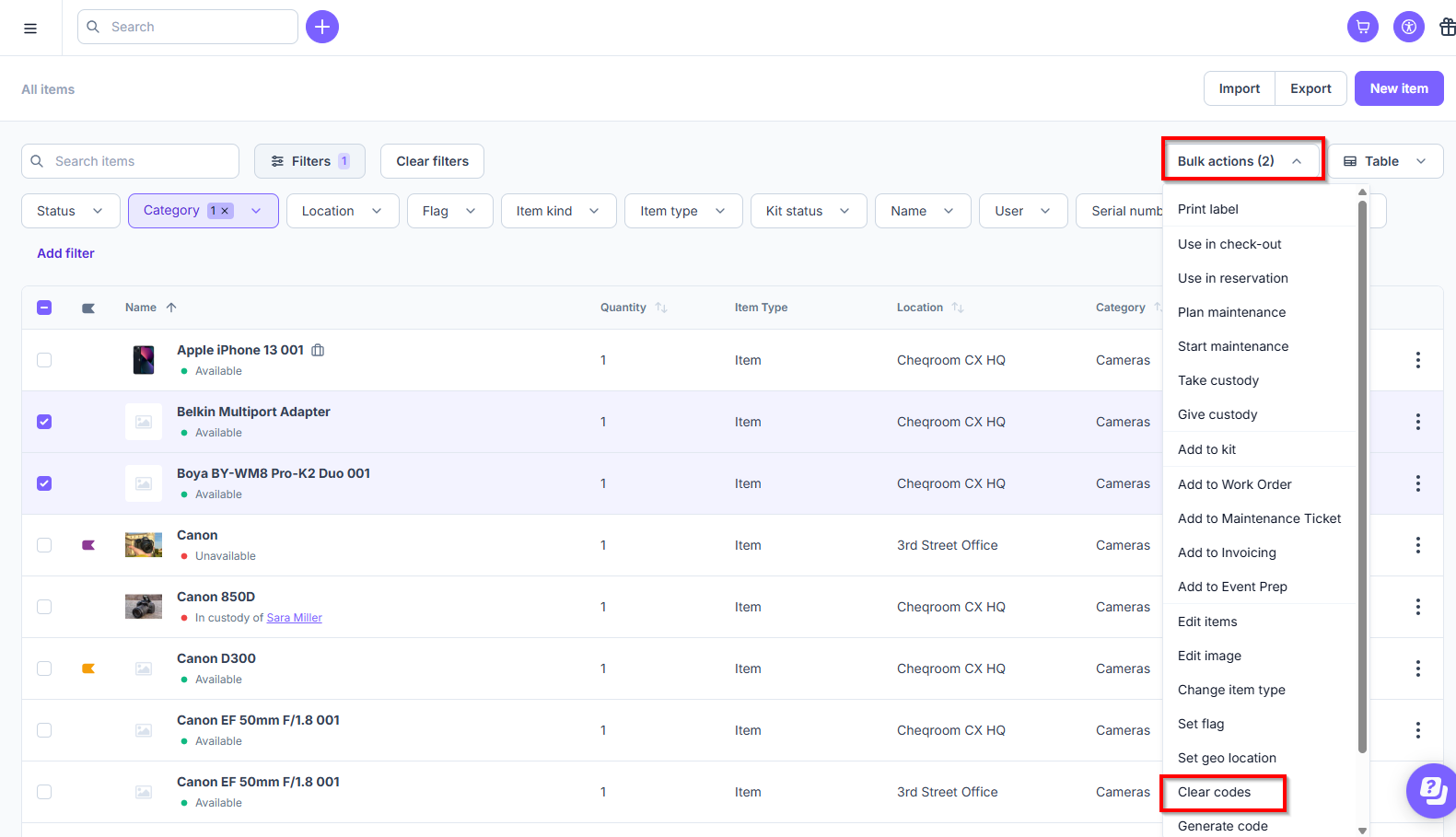
Next, click on Bulk Actions>Clear codes.
-
Once the pop-up window opens, read the prompt thoroughly and if you still want to delete your barcodes/QR codes then type DELETE and click on Yes, clear codes.
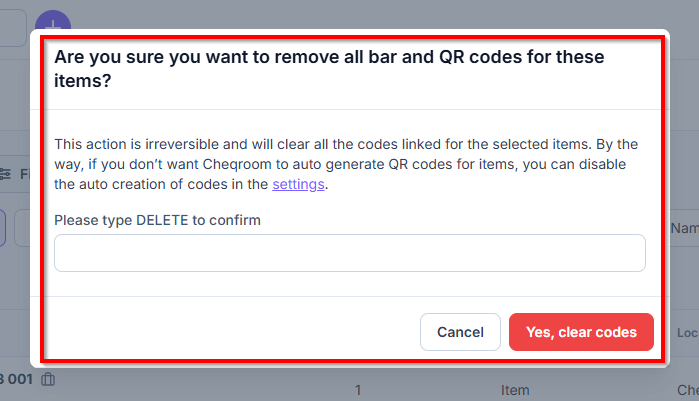
⚠️ This action is irreversible and will clear all the codes linked to the selected items.