![horizontal-black-3.png]](https://knowledge.cheqroom.com/hs-fs/hubfs/horizontal-black-3.png?width=200&height=37&name=horizontal-black-3.png)
Customize Your Overview for Maximum Efficiency
Did you know you can control which columns appear in your overview tables?
Use the Customize Overview feature to build precise control over what you see and the order in which it appears, ensuring you get exactly the information you need for peak operational efficiency. You can also configure the exact information displayed on item cards within your reservations and check-outs.
How to Customize Your Overview Table
-
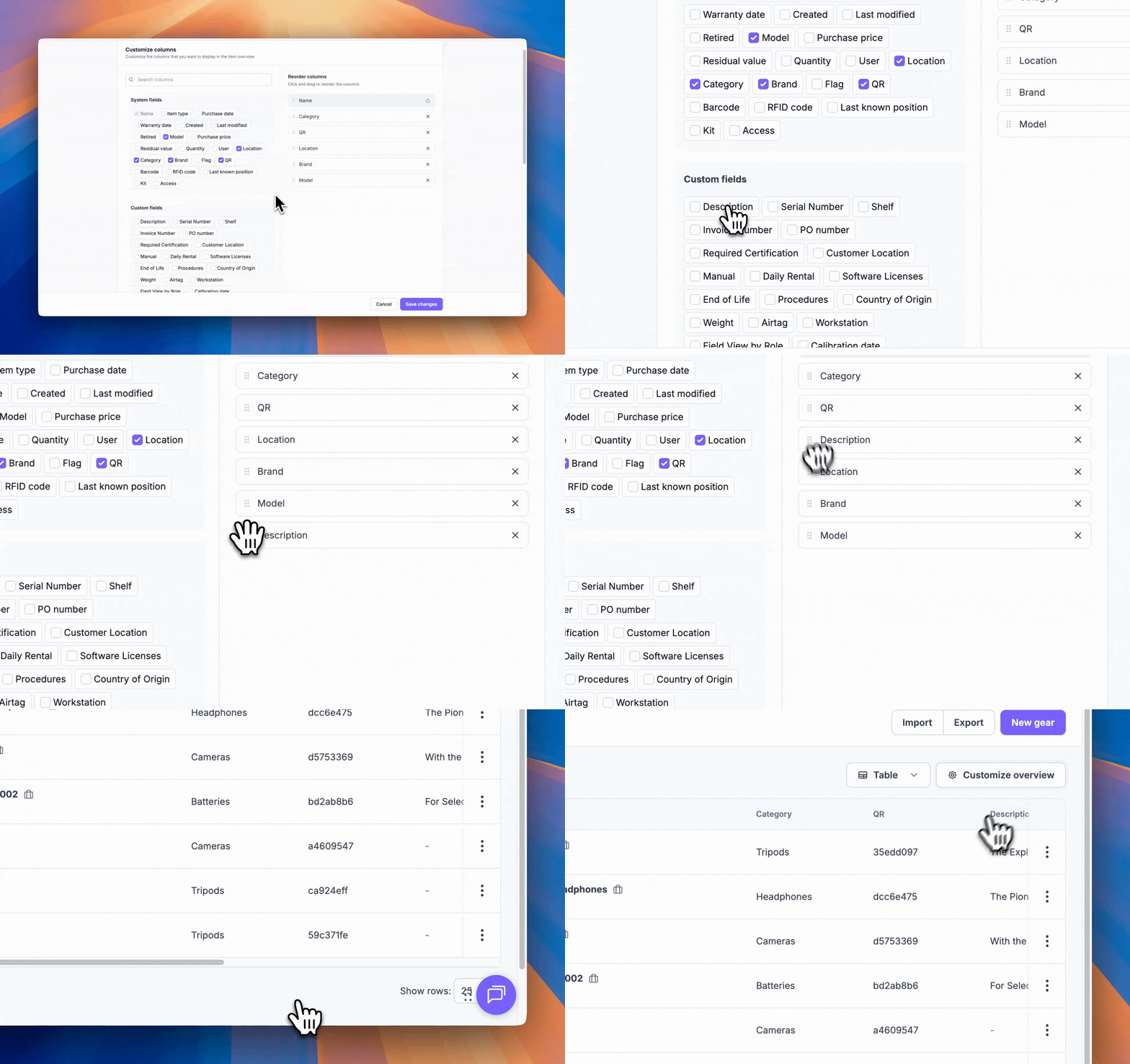
Navigate to your overview page and click the Customize Overview button.

-
Select your fields: You'll see system fields at the top and custom fields clustered at the bottom. Click any of these fields to add them as columns in your overview table.

-
Arrange your columns: Drag and drop fields to any position. The order from top to bottom in this list will be reflected left to right in your table.
-
Save your changes: Don't forget to click Save to apply your configuration!
Customize Your Item Cards
In the Items Overview Customize section, scroll down to find the Item Card customization options. Here you can:
-
Select up to 3 fields to display under the Item's name on the Item table
-
These fields will also appear in the equipment table on Reservations and Check-outs
-
Preview your changes in real-time on the right side of the screen
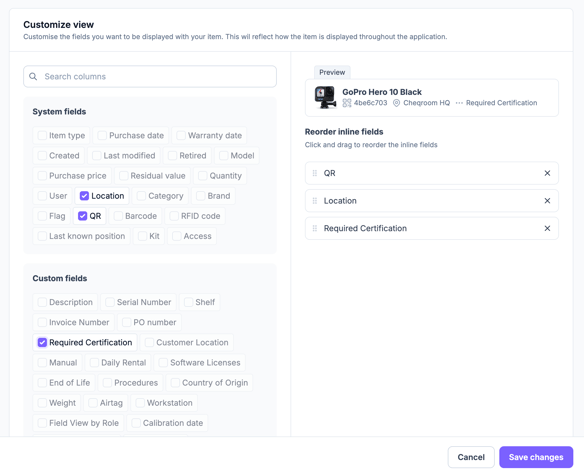
Tip: Choose fields that provide the most critical information at a glance, such as qr code, category, or custom identifiers specific to your workflow. When the field is filled out, it will show in the Item Overview, as well as on Items in Reservations and Check-Outs

