![horizontal-black-3.png]](https://knowledge.cheqroom.com/hs-fs/hubfs/horizontal-black-3.png?width=200&height=37&name=horizontal-black-3.png)
Connect your Slack workspace to Cheqroom to receive real-time notifications directly in Slack. The Cheqroom–Slack integration automatically posts updates to a designated Slack channel whenever changes occur on Items, Reservations, Check-outs, and more. Once the integration has been set up, Cheqroom will post to a Slack channel when updates occur on Items, Reservations, Check-outs, and more.
-
Prerequisites
You must be a Cheqroom Administrator to set up the Slack integration. Ensure you also have permission to add apps to your Slack workspace before proceeding.
Click Settings in the bottom left corner of your screen -
Click Integrations
-
Go to Slack
-
Click Configure
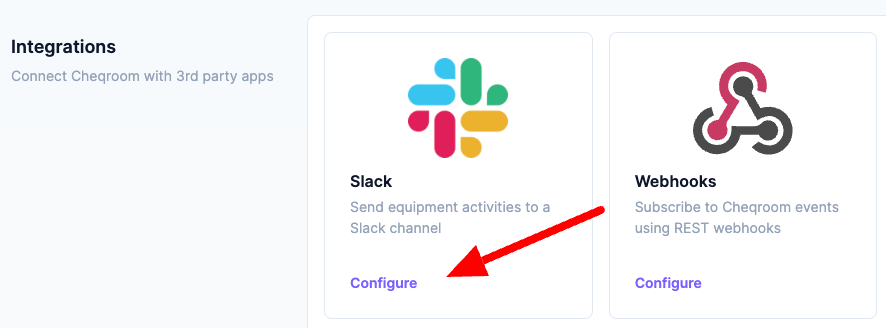
Setting up the Slack integration
-
Click Settings, next click Integrations
-
Go to the Slack section and click Configure
-
Click Add to Slack
-
Choose a Slack channel where the updates will be posted
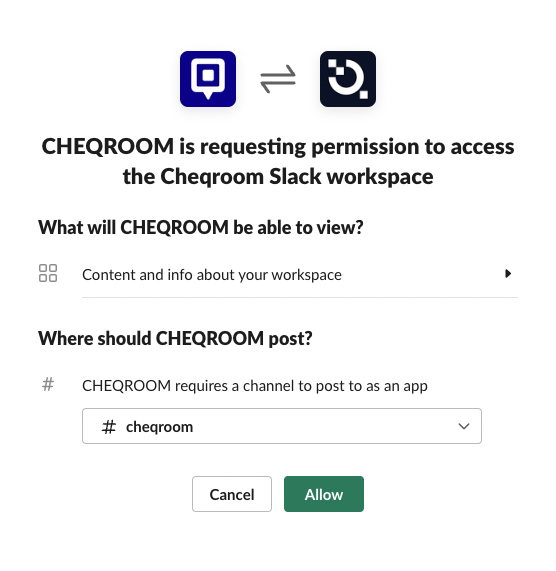
-
Enable the Notifications you want to see in the Slack channel:
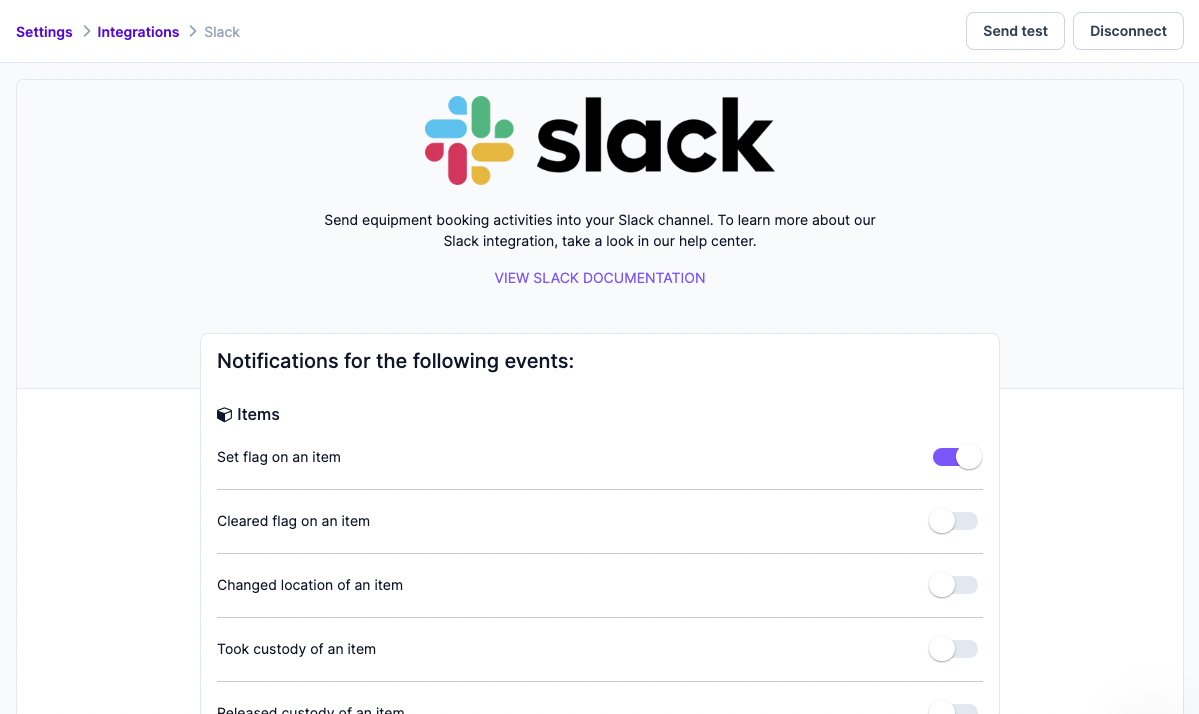
Available notifications for Slack
Items
-
Set flag on an item
-
Cleared flag on an item
-
Changed location of an item
-
Took custody of an item
-
Released custody of an item
-
Transferred custody of an item
Check-outs
-
Checked out equipment
-
Checked in equipment
-
Undid equipment check-out
-
Extended check-out
-
Equipment checkin is due in 1 hour
-
Equipment checkin is due in 1 day
-
Equipment checkin is overdue 1 hour
-
Equipment checkin is overdue 1 day
Reservations
-
Reserved equipment
-
Equipment reservation is due in 1 hour
-
Equipment reservation is due in 1 day
-
Equipment reservation is overdue 1 hour
-
Equipment reservation is overdue 1 day
-
Cancelled equipment reservation
-
Closed equipment reservation
How Cheqroom's Slack integration works
Once connected, Cheqroom sends automated notifications to your chosen Slack channel based on the events you enabled during setup. No manual action is required — updates appear in Slack in real time as your team performs actions in Cheqroom.
-
Go to the Slack Channel you selected when setting up the integration in Cheqroom
-
Find updates on events in Cheqroom (based on the enabled notifications)
