![horizontal-black-3.png]](https://knowledge.cheqroom.com/hs-fs/hubfs/horizontal-black-3.png?width=200&height=37&name=horizontal-black-3.png)
When you upload your total inventory into Cheqroom, it doesn't necessarily mean that every single piece of equipment should be available for bookings.
Say, for example, you have a lot of small gear that you'd like to see in your inventory to keep count, but you would prefer users not to add them to a reservation. In Cheqroom, you can now decide if your item(s) can be reserved, or only used in a check-out or taken into custody.
*Important: items' statuses can only be updated and changed by users who have permission to manage items. Other users will be able to see the status, but not to change it.
Updating an Item's availability
-
Go to the Item you'd like to change
-
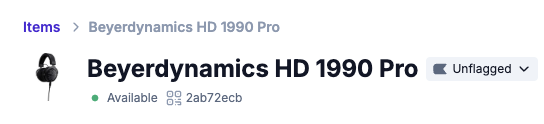
Click on the Item's status
-
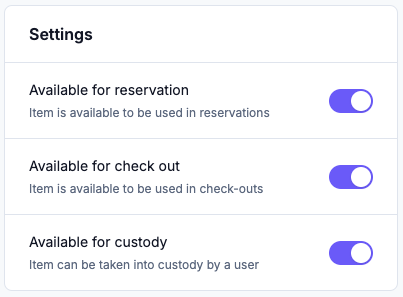
Choose whether or not the Item can be reserved, used in a check-out or taken into custody
Updating Items' availability in bulk
-
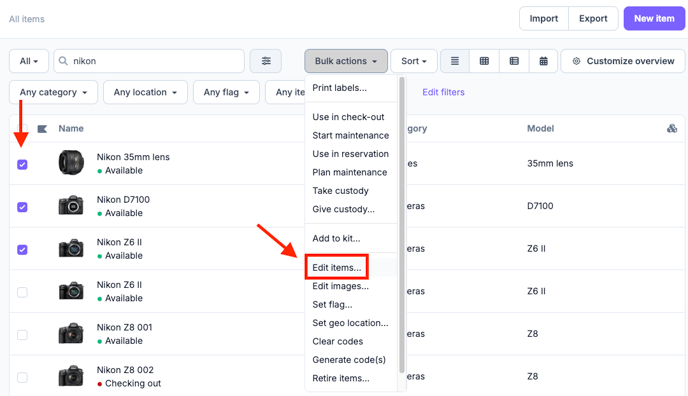
Go to your Item list in table view
-
Select the Items you'd like to change by checking the box on the left side
-
Go to 'Bulk actions' and choose 'Edit Items'
-
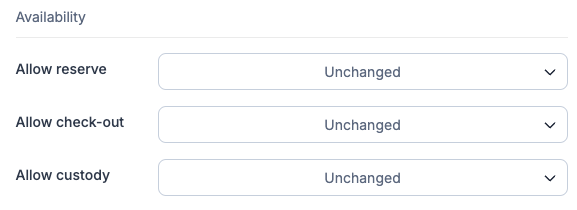
Scroll down to the Availability section and choose for what purposes those items can be used
Item statuses
In Cheqroom, items can have 1 of the following 10 statuses:

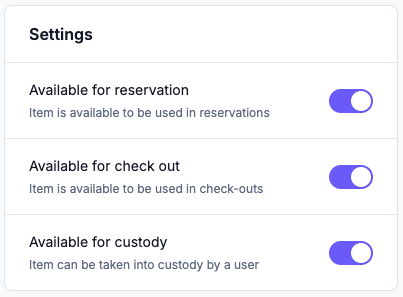
The item is fully available for immediate check-out, can be part of an open reservation for the near future, or can be taken into custody.

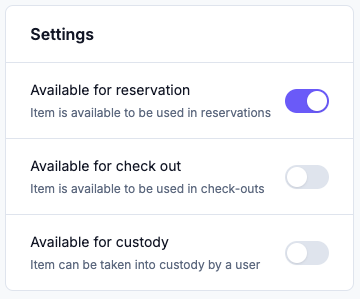
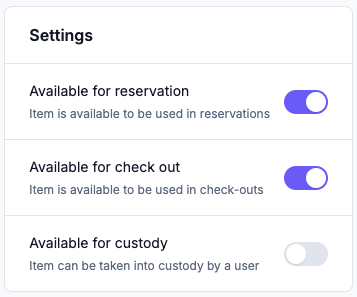
The item is partially available. By clicking on the item, you can see any combination of the availability settings. Some examples below:

The item is part of a draft check-out. Items that are part of a draft check-out are not available for other bookings. To make sure the items don't remain in this status too long, you can auto-clean your draft check-outs. Once the item is returned or released, the status will go back to fully available.

The item is part of a draft check-out. Once the item is being returned or released, it will go back to the partially available status.

The item is currently unavailable because it’s part of an open check-out. When the item is returned, the status will go back to fully available.

The item is currently unavailable because it’s part of an open check-out. When the item is returned, the status will go back to partially available.

The item was given into custody to a contact and cannot be reserved or checked out. Once the item is released, the item will become fully available again.

The item was given into custody to a contact and cannot be reserved or checked out. Once the item is released, the item will become partially available again.

The item is no longer in use and cannot be reserved or checked out anymore. Retired items don't count towards your subscription's item quota, and can be found with the "Retired" status filter.

The item is unavailable for bookings and custody. This might be used for new inventory that you don't want to lend out right away, or for any other equipment that doesn't need to be added in bookings.