![horizontal-black-3.png]](https://knowledge.cheqroom.com/hs-fs/hubfs/horizontal-black-3.png?width=200&height=37&name=horizontal-black-3.png)
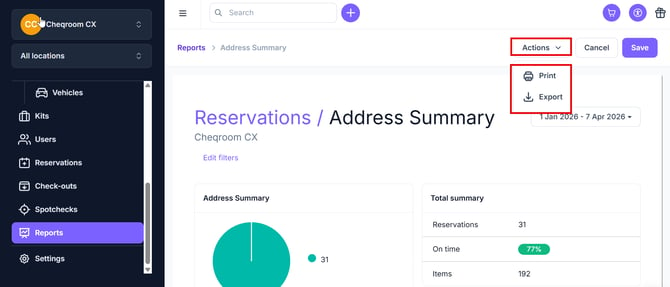
Our Reservation Report displays a reservation summary grouped by the custom field of your choice. This report will show you how many reservations have been completed linked to e.g. a certain project code, sales representative, or other information captured in your custom fields on the reservation level. It will also show you how many of those were overdue and how many items were reserved during a certain period of time.
Important
In order for this report to be useful, you have to have several custom fields set up in Cheqroom.
Enabling the Reporting add-on
-
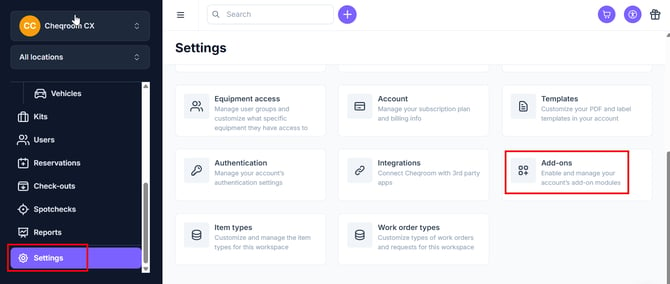
Click Settings and then click Add-ons
-
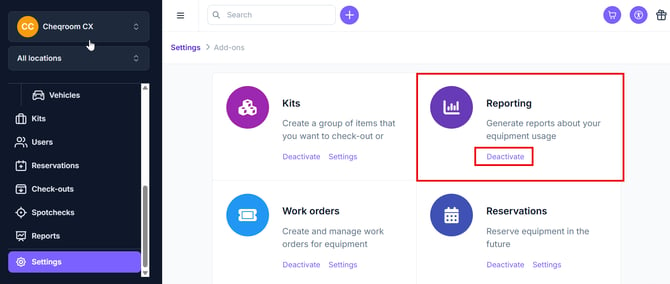
Make sure Reporting is showing as activated
Using the Reservations: Report by Custom Field
-
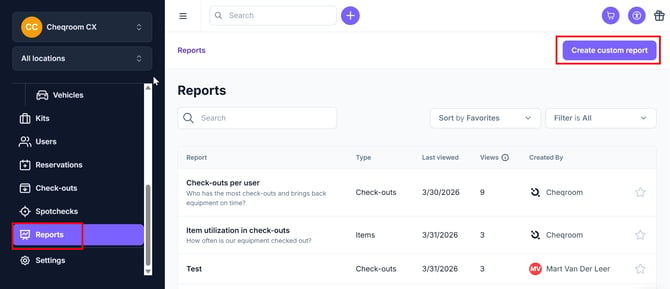
From the Reports tab, click on Create Custom Report
-
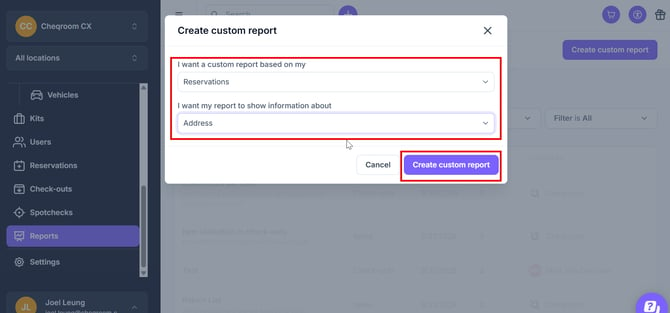
Click the drop down box for I want a custom report based on my Reservations and then choose what information you want the report to be based on. Next, click Create custom report.
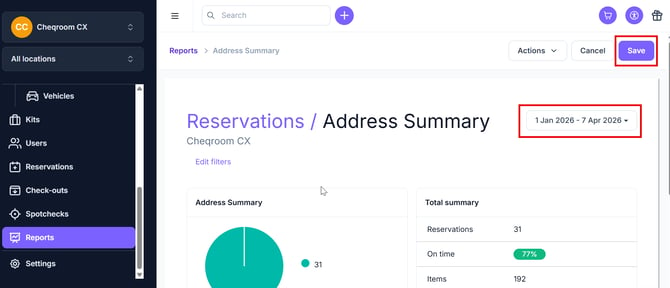
- From here, you can Save the report to run later and also change the date for the report.
-
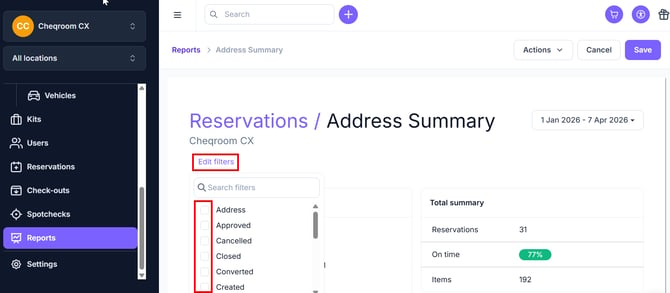
Clicking Edit Filters will allow you to filter for other conditions.
-
Clicking the Actions drop down menu will allow you to Print or Export your data.