![horizontal-black-3.png]](https://knowledge.cheqroom.com/hs-fs/hubfs/horizontal-black-3.png?width=200&height=37&name=horizontal-black-3.png)
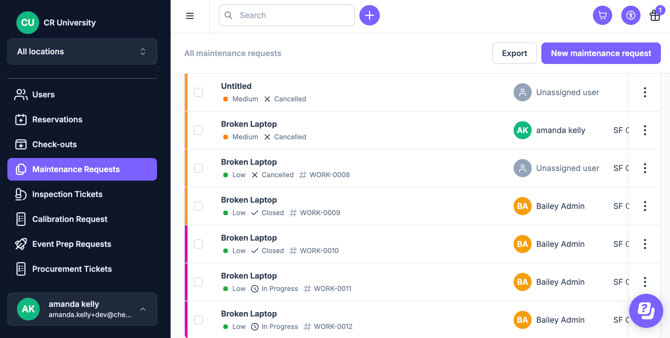
Note: Maintenance Management is an add on feature. Meet with us to get started.
Standardize how your team reports and fixes issues by creating specific fields for different levels of service.
1. How to Create Maintenance Templates
Standardize your intake by creating specific fields for different types of maintenance work. If you need to add procurement-specific Work Order Fields, please follow these steps.
Suggestions Include:-
- Repair Type: (Dropdown field: Electrical, Mechanical, Firmware, Cleaning).
-
- Parts Used (Text or list field).
- Labor Hours (Number field).
Tip: Set location as Required to ensure technicians know exactly where to go in order to minimize any delays.
2. The Maintenance Workflow Proposal
Transform reactive "firefighting" into a structured maintenance program.
|
Step |
Action |
Cheqroom Capability |
|
1. Report |
Log the issue with context. |
Use a customized intake form to capture photos of the damage and a description of the symptoms. |
|
2. Triage |
Assess and prioritize. |
Assign an Owner (Technician) and set the Priority to ensure the most critical gear is fixed first. |
|
3. Execution |
Perform the repair. |
Use Custom Checklists to follow standardized repair steps and track parts or time spent. |
|
4. Verify |
Test for readiness. |
Configure a status, such as Pending Review, so a supervisor can sign off on the quality of the repair. |
|
5. Resolve |
Return to inventory. |
Close the work order when work is completed and begin using assets again. |
3. Industry Use Cases
🎥 Production & Rental: Damage & Turnaround
- The Challenge: Discovering broken gear during a return and needing it fixed before the next booking in 24 hours.
- The Edge: Immediately flag returned gear as "In Repair." This automatically prevents other users from booking the broken item until the technician clears the work order.
🎒 Higher Ed & Facilities: Preventive Maintenance
- The Challenge: Regularly cleaning and servicing 500+ student laptops or lab kits to extend their lifespan.
- The Edge: Recurring Work Orders. Schedule "Preventive Service" work orders during semester breaks to ensure gear stays in peak condition for the next wave of students.
🏢 Enterprise & IT: Hardware Lifecycle Management
- The Challenge: Tracking how much is being spent on repairing a specific model of printer or laptop.
- The Edge: By tracking "Parts" and "Labor" in your maintenance fields, you can report on which assets are costing more to fix than they are worth to keep.
📣 Some Best Practices for Scaling
- "Photo or it didn't happen": Require a photo for every damage report. This provides visual proof for insurance claims or vendor disputes.
- Link Maintenance to Procurement: If a repair requires a new part, link the Maintenance Work Order to a Procurement Request so the paper trail is connected from fix to purchase.
The Cheqroom Difference: Most maintenance happens in a separate "black box" system. Cheqroom keeps maintenance tied to the Asset Record, so your coordinators know exactly why a piece of gear isn't on the shelf and when it will be back.
Supporting Resource: [Video] How to Manage Maintenance in Cheqroom