![horizontal-black-3.png]](https://knowledge.cheqroom.com/hs-fs/hubfs/horizontal-black-3.png?width=200&height=37&name=horizontal-black-3.png)
The Booking Portal provides end users with a streamlined way to browse equipment and submit reservation requests without requiring access to the full Cheqroom workspace. Access is controlled through Cheqroom's existing roles and permissions system with the addition of site access control. This allows admin to dictate if a role can access the Cheqroom workspace, Booking Portal, or both.
This article explains how to enable and configure your portal.
Note: Only Account Owners and Workspace Admins with the appropriate permissions can enable and configure Booking Portal.
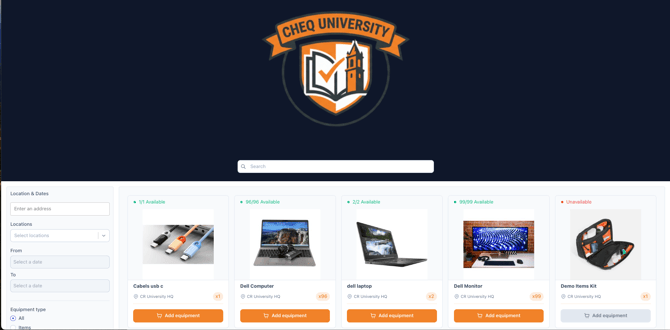
👫 Who Can Access the Booking Portal?
Access to Booking Portal is determined by a user's role. The table below shows which system roles grant access to the Booking Portal, the main Cheqroom workspace, or both:
|
Role |
Access |
|---|---|
|
Account Owner |
Workspace + Booking Portal |
|
Workspace Admin |
Workspace + Booking Portal |
|
Front Desk Agent |
Workspace + Booking Portal |
|
Self-Service User |
Workspace + Booking Portal |
|
Work Order Admin |
Workspace + Booking Portal (if using Operations Management) |
|
Work Order Agent |
Workspace + Booking Portal (if using Operations Management) |
|
Equipment Admin |
Workspace only |
|
Equipment Viewer |
Workspace only |
|
Booking Portal User |
Booking Portal only (new role) |
Note: Users with Booking Portal-only access (e.g. the new Booking Portal User role) will always be directed to the portal when they log in. They cannot access the main Cheqroom workspace.
🌐 Where is a User Directed When they Log In to the Booking Portal?
Cheqroom intelligently directs users to the correct site based on their user role. A user with Booking Portal access only will be directed to the booking portal from login.cheqroom.com. Similarly, a user with workspace access only will be taken to the main Cheqroom workspace.
For users with both workspace and Booking Portal access, a user can log directly into their desired site by accessing the correct link.
- Logging in via app.cheqroom.com/[workspace-id] → directed to the main Cheqroom workspace
- Logging in via portal.cheqroom.com/[workspace-id] → directed to the Booking Portal.
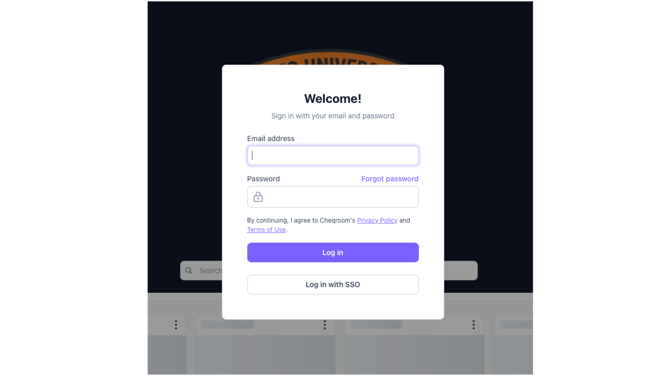
Note: Users who have access to both the workspace and the Booking Portal can switch between the two from the profile menu within each interface.
👤 Giving Custom Roles Access to Booking Portal
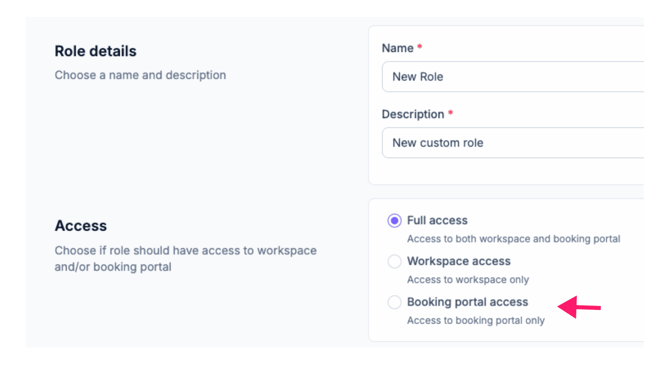
If Booking Portal is enabled for your workspace, an Access section will appear when creating or editing a custom role. You can choose between three access levels:
-
Full Access
-
The user can access both the main workspace and the Booking Portal. You can then customize permissions across items, reservations, check-outs, and more as usual.
-
-
Workspace Access Only
-
The user can access both only the main Cheqroom workspace and cannot login to the Booking Portal. You can then customize permissions across items, reservations, check-outs, and more as usual.
-
-
Booking Portal Only
-
The user can only access Booking Portal. No additional permission customization is needed — Booking Portal -only users have a fixed permission set that allows them to view items and initiate reservations.
-
Note: The permission set for Booking Portal-only users is fixed and cannot be customized. If you need finer-grained control over what a user can do, use Full Access with a custom permission configuration instead.
🔎 Identifying Which Users Have Booking Portal Access
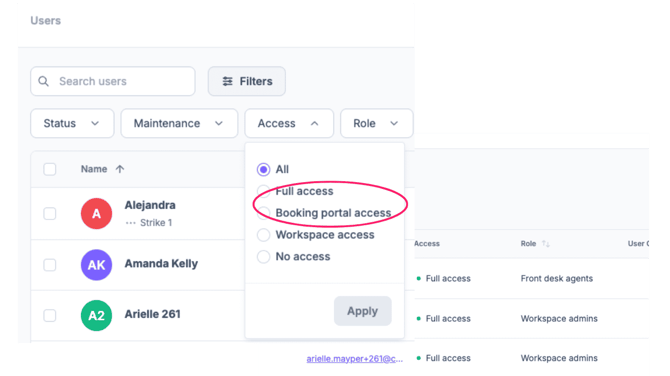
You can identify Booking Portal-eligible users from the Users section of your Cheqroom workspace:
- Go to Users in the left-hand navigation menu.
- Use the Access filter to view users by their access type: Full Access, Workspace Only, or Booking Portal Only.
- Click into any individual user to see their role and access level in their user detail view.
🔒 Does the Booking Portal Work with SSO?
Yes. If your workspace has Single Sign-On (SSO) configured, users who access the Booking Portal URL will be directed through the same SSO authentication flow. No additional SSO setup is required specifically for Booking Portal — it inherits the SSO configuration set at the workspace level.
Supported identity providers include: Google, Microsoft Entra ID (Azure AD), Okta, OneLogin, ADFS, Shibboleth, and any SAML 2.0-compliant IdP.
📱Mobile Access
The Booking Portal is fully mobile responsive. End users can browse equipment and submit reservation requests from any smartphone or tablet browser — no app download required.
Note: The Cheqroom mobile app (iOS and Android) provides access to the main workspace experience, not the Booking Portal. For BP-only users, the browser-based portal is the intended mobile experience.
See also: